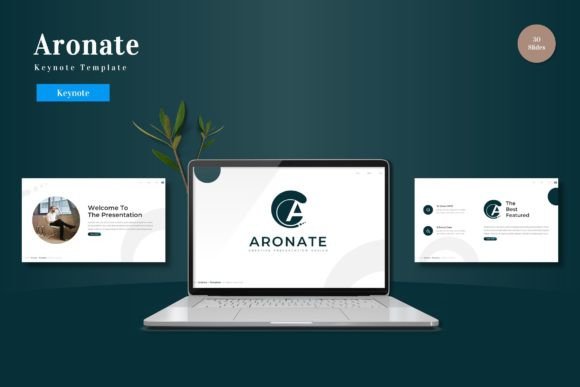
Aronate - Keynote Template: A Designer's Guide to Cohesive Presentations
More Than Just Slides: A Complete Visual System
Creating a presentation that looks truly professional often feels like a battle between your ideas and your tools. You spend hours aligning text boxes, hunting for consistent icons, and trying to make disparate graphics work together. The Aronate - Keynote Template is built to end that struggle. It's not just a collection of slides; it's a comprehensive design system for your narrative. With over 150 total slides across five distinct color schemes, it provides a structured yet flexible foundation. The core appeal is its cohesive visual language—every layout, infographic, and section break is crafted to work in harmony, ensuring your final deck feels unified and intentional from the first slide to the last.
Understanding the Visual Personality and Strengths
Aronate presents a modern, clean, and professional aesthetic. Its strength lies in its balanced approach to modern typography and layout. The included slides utilize a thoughtful mix of serif and sans serif fonts, creating clear visual hierarchy and excellent readability for both titles and body text. The pixel-perfect illustrations and handcrafted infographics are not generic clipart; they are designed as integral parts of the template's personality, adding visual interest without overwhelming your content. This makes the Aronate - Keynote Template particularly effective for presentations where clarity and brand perception are paramount. It conveys competence and attention to detail, which is crucial for entrepreneurs pitching to investors, marketers presenting campaign results, or educators delivering complex information.
Practical Applications: Where This Template Shines
The versatility of the Aronate system makes it a valuable design asset across numerous fields. For logo design and brand identity presentations, the consistent color variations and master slide structure allow you to showcase your work in a context that enhances, rather than distracts from, the designs themselves. The gallery and portfolio slides are specifically engineered for this purpose.
Marketers and content creators will find the template invaluable for developing social media graphics, digital reports, and webinar slides. The drag-and-drop picture placeholders streamline the process of integrating your own imagery, maintaining a professional look with minimal effort. The section break slides are particularly useful for structuring longer narratives, guiding your audience through a clear journey.
Small business owners and bloggers can leverage Aronate for everything from internal strategy meetings to client-facing proposals. The pre-built infographic slides help transform raw data into compelling visual stories, a key component of effective modern typography and communication. It’s a practical tool for anyone who needs to communicate ideas persuasively and visually.
Making the Most of Your Template: A Practical Guide
Simply downloading a premium template is the first step. To truly impress your audience, consider these practical recommendations:
- Evaluate the Fit: Before diving in, review all 30 slides within a single color scheme. Does the overall style align with your brand's personality or the tone of your message? The five color variations offer different moods—from more vibrant to subdued—so choose the one that best supports your narrative.
- Customize with Purpose: Use the master slides as your editing foundation. Changing fonts, colors, and logo placements here ensures global consistency. While the template includes suggested font pairings, don't be afraid to test your own brand's serif font and sans serif font combination to see how it integrates with the existing layouts.
- Focus on Readability: Pay close attention to the text hierarchy established by the template. Maintain clear distinctions between headlines, subheads, and body copy. Ensure your content has enough breathing room—white space is a critical element of professional design that aids comprehension.
- Leverage the Assets: Actively use the handcrafted infographics and resizable graphics. They are designed to simplify complex information. When using the picture placeholders, select high-quality, relevant images that complement your message, not just decorate the slide.
By treating the Aronate - Keynote Template as a starting framework rather than a rigid mold, you can efficiently create presentations that are both visually striking and deeply effective. It provides the professional polish and structural integrity that allows your content and ideas to take center stage, leaving a lasting mark on any audience.